Device Access Requests
Some businesses allow sign-in only from registered devices. When someone signs in to the app on a device that is not registered, the sign-in is refused and a request is sent to the business's admins. The user sees "Sign-in denied. A device access request has been submitted to your business administrator for approval."
Open the person menu (top right) and click Device Access. Only a Business Admin sees it.
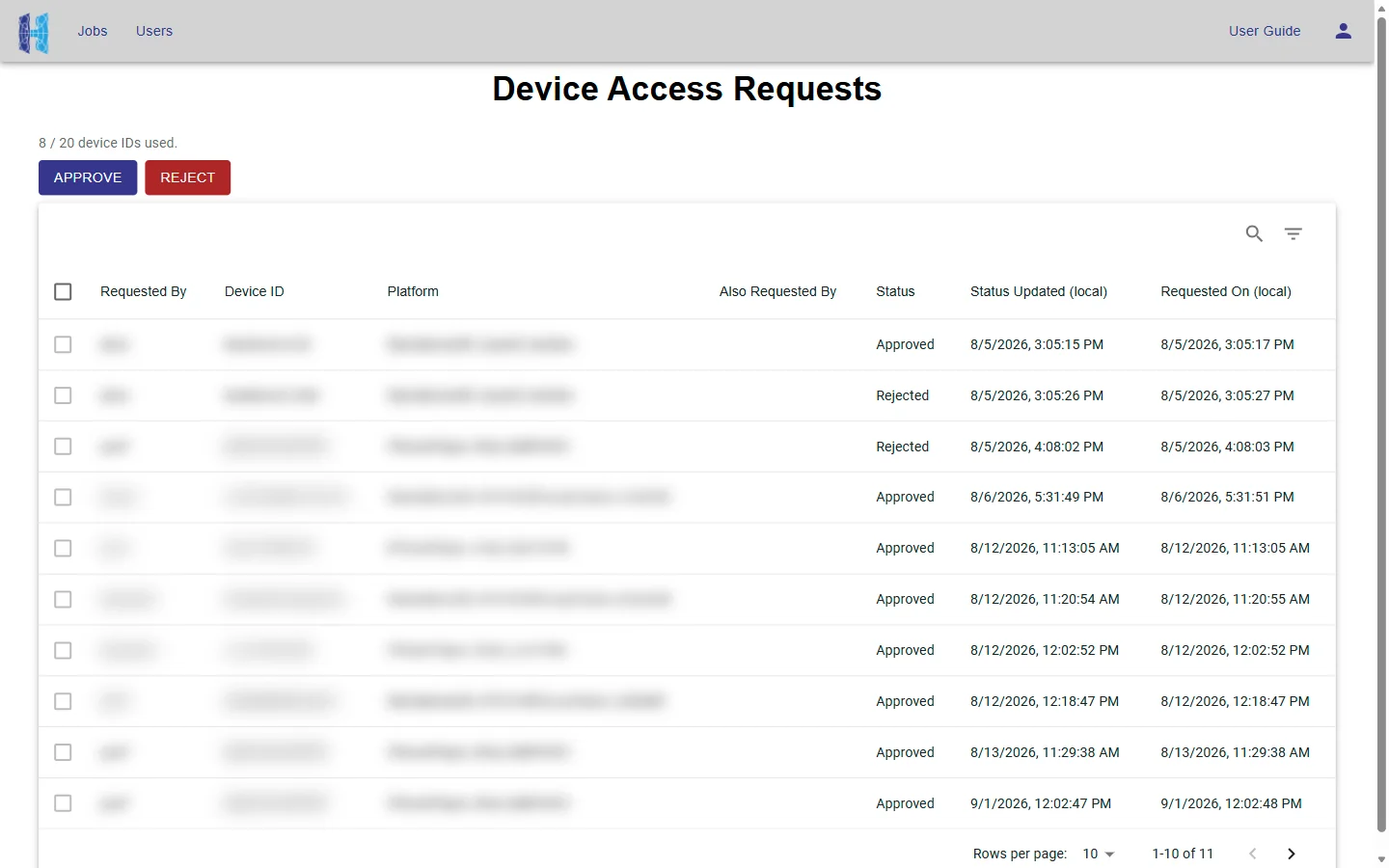
Each request shows who asked (Requested By), the Device ID, the Platform, anyone else who asked for the same device (Also Requested By), the Status (Pending, Approved or Rejected), and when it was made and last changed, in your local time. Pending requests are listed first.
Approve or reject
- Tick one or more Pending requests.
- Click Approve or Reject. It happens at once, with no confirmation.
Approving adds the device to the business's Device ID List (see Business Settings), and the user can sign in on it. "n / max device IDs used." shows how many slots remain. If approving your selection would need more slots than remain, Approve is disabled: remove a device in Business Settings first, or reject some of the requests.